
Training Management System
The training office, run by agents instead of by hand.
Planning, qualifications, courses, documents, contracts and cost (for pilots, cabin crew, maintenance staff and ground personnel) with agents doing the scheduling, chasing and reporting that fills a training manager's week. Joined to the competency grading in AeroEBT, so the record and the evidence behind it are one file.
Choose your organisation
One Training Management System, three kinds of training organisation
Pick where you sit and go straight to what the TMS runs for you.
Airline
Qualifications, courses, documents, contracts and cost for every crew and staff role, joined to EBT grading in AeroEBT.
- EBT & CBTA
- Qualifications
- Contracts & cost
Go to the airline section
Flight School
Aircraft and simulator fleet, scheduling, students and financials per client or per trainee, for ATOs from PPL to MPL.
- Aircraft & FNPT II
- Per-trainee billing
- Part-FCL
Go to the flight school section
Aircraft Maintenance Training Organisation
EBT and CBTA for Part-147 and Part-66, a maintenance task tool for teaching and assessment, and the training and practical logbooks.
- Part-147
- Part-66
- Practical logbook
Go to the MTO section
One platform for the whole training lifecycle
The Training Management System brings learning management, qualification tracking, document control, and analytics into a single platform - seamlessly connected with AeroEBT and AeroBrain.
Self-service portals empower trainees and instructors, automated workflows remove administrative burden, and complete records keep you audit-ready at all times. Reduce training administration time by up to 70% while ensuring complete regulatory compliance.
TMS for airlines
The training office for pilots, cabin crew, maintenance staff and ground personnel: planning, qualifications, courses, documents, contracts and cost, joined to the competency grading in AeroEBT.
Choose another organisation typeModules
Everything you need in one platform
LMS e-Learning
Complete learning management with course creation, delivery, and tracking. SCORM compliant with multimedia support.
- Course Builder
- Progress Tracking
- Assessments
- Certificates
QMS Qualifications
Track and manage all crew qualifications, certifications, and currencies. Automated expiry notifications and renewal workflows.
- Qualification Tracking
- Expiry Alerts
- Renewal Workflows
- Compliance Reports
DMS Documents
Centralised document management with version control, access permissions, and audit trails. All training materials in one place.
- Version Control
- Access Control
- Audit Trails
- Search & Filter
Advanced Analytics
Reporting and dashboards across programmes, fleets and bases, including EBT, CBTA and AQP metrics read next to qualification and course data.
- Custom Reports
- Real-Time Dashboards
- Trend Analysis
- Export Options
Planning & Scheduling
Instructors, trainees, aircraft and simulators scheduled together, with rules, forecasting and what-if planning before a cycle is committed.
- Resource Planning
- Rules & Automation
- Forecasting
- Scenario Planning
Training Design
Build and revise syllabi for ab initio, type rating, recurrent, line checks, command courses and classroom or e-learning, with a compliance matrix against EASA, your authority and your approval.
- Syllabus Builder
- Compliance Matrix
- Versioning
- Authority Exports
Contract Management
Training agreements, bonding, provider and simulator contracts held with their terms, rates, renewal dates and consumption against what was committed.
- Agreements
- Bonding
- Renewals
- Commitment Tracking
Financial Management
Budget against actual by programme, fleet and base: simulator hours, instructor cost, courses and recharges, with invoices and provider billing reconciled.
- Budget vs Actual
- Cost per Pilot
- Invoicing
- Recharges
Agentic operation
What the agents actually do
Not a chatbot bolted onto a database. Agents that carry out the repetitive work of a training office and leave the decision with a person.
Build the plan
Draft the training cycle against due dates, device availability, instructor qualification and crew rosters, and rebuild it when something moves.
Chase what expires
Notice an approaching expiry, propose the slot, notify the crew member and follow up when nothing happens.
Prepare the paperwork
Assemble course reports, authority exports and audit packs from live data, ready for a human to check and sign.
Watch the money
Flag a programme drifting over budget, an under-used device or a contract approaching its committed volume.
Ask before acting
Every agent action that touches a person's record, a contract or a booking is proposed for approval, logged, and reversible.
Leave judgement to you
Agents remove the administration. Who trains, when and to what standard remains a training manager's decision.
Who it covers
Not only the flight deck
One training record for every licensed and approved role in the operation, instead of a separate system per department.
Flight crew
Type ratings, recurrent, line checks and command upgrade, with EBT grading in the same record.
Cabin crew
Initial, recurrent, aircraft differences and safety and emergency procedures training.
Maintenance staff
Part-147 and Part-66 training and Part-145 continuation training, with practical assessment.
Learn moreGround personnel
Dangerous goods, ground operations and company-required training with the same expiry tracking.
Connected
It has to fit the systems you already run
Training does not sit alone: rosters, crew records and flight operations all touch it.
Crew management and rostering
Training windows and due dates aligned with published crew rosters.
Flight operations systems
Scheduling and crew data exchanged with the operations systems you already use, through the API.
AeroEBT
Competency grading and the training record in one file rather than two systems.
FCS++
Device capability visible when a session is scheduled, so a lesson lands on a device that can credit it.
Benefits
Why training managers choose us
Less administration
Scheduling rules, automatic renewals and generated reports remove the work that fills a training office.
Stay Compliant
Always audit-ready with complete training records and documentation.
Empower Teams
Self-service portals for trainees and instructors.
Customise
Flexible configuration to match your processes and requirements.
Connected
Seamless integration
TMS integrates perfectly with AeroEBT, AeroBrain, and leading third-party systems. RESTful APIs and webhooks ensure smooth data flow across your entire ecosystem.
AeroEBT
Evidence-based training records and competencies.
WebAIMS
Crew management and scheduling.
Microsoft 365
Teams, SharePoint, and SSO.
Google Workspace
Calendar, Drive, and SSO.
Custom API
RESTful APIs and webhooks for any system.
TMS for flight schools and ATOs
The aircraft, the FNPT II simulators, the students and the money in one system, for Part-FCL courses from LAPL and PPL to CPL, IR, MCC and MPL. The same platform airlines use for Evidence-Based Training.
Choose another organisation typeYou run an ATO on spreadsheets and whiteboards
Scheduling, fleet, students, finances, compliance: all scattered.
Fleet management
Aircraft and simulators, managed as one fleet
An ATO lives on availability. Every aircraft and every flight simulation training device (FSTD) has its own record, and the schedule reads it before a lesson is booked.
Aircraft register
Registration, type, class, base, serial number, MTOW and seats, with status: available, maintenance, grounded or retired.
- C172
- DA40
- DA42
- Seneca
Airworthiness
ARC, certificate of airworthiness, registration, insurance, radio licence and noise certificate, each with an expiry countdown.
- ARC
- CofA
- Insurance
Squawks and maintenance
Squawks graded minor, major or grounding, MEL deferral, 50-hour, 100-hour and annual events, components against TBO, AD and SB compliance.
- Squawks
- MEL
- AD/SB
- TBO
Simulator register
FNPT I, FNPT II, FTD, FFS and BITD devices with qualification level, qualification expiry, status and location.
- FSTD
- FNPT II
- FNPT 2
Device technical log
Defects, utilisation, qualification events and the instructor privileges on each device, so a lesson lands on a device the instructor may teach on.
- Tech log
- Qualification
- Privileges
Utilisation and cost
Flight and positioning hours, monthly utilisation, a breakdown per client, rates and the running costs behind each aircraft.
- Utilisation
- Per client
- Cost per hour
Aircraft fleet
Know which aircraft can fly before the student arrives.
A grounding squawk flags the bookings it affects. An expiring ARC shows up weeks ahead. The Hobbs and tach times captured when a flight is closed keep the hours current without anyone copying them across.
- Fleet KPIs: total fleet, available, in maintenance, grounded, ARC due within 30 days
- Per-aircraft hub: overview, maintenance, squawks, airworthiness, utilisation, costs, documents and audit trail
- Hobbs, tach and block times captured when the flight is closed
- Rates per aircraft: dry, wet, instructor and rental
Simulators and FSTDs
FNPT II devices booked like the aircraft they replace.
Simulator sessions sit in the same schedule as flights and ground school. A device with an expired qualification, or an instructor without the privilege to teach on it, is caught when the session is booked.
- FNPT I, FNPT II (FNPT 2), FTD, FFS and BITD in one register
- Qualification level and expiry per device, with warnings before it lapses
- Utilisation, technical log and external simulator blocks
- SEP IR and MEP IR training on FNPT II alongside the aircraft, and MCC on A320 or B737 FNPT II devices
Maintenance and aircraft management, joined to training
The hangar and the training office work from the same aircraft record
In most schools maintenance lives in a separate tracker and the schedule finds out too late. Here every flight, squawk and due item moves through one record, so the training plan and the maintenance plan cannot drift apart.
The flight is closed
Hobbs, tach and block times are captured when the instructor closes the flight, and the lesson, the student’s progress and the aircraft’s hours update together.
Hours drive what is due
Each aircraft’s 50-hour, 100-hour and annual events, component TBO and AD/SB items are tracked against the hours actually flown, with next due date and hours.
Due items reach the schedule
At booking, the aircraft’s ARC, insurance and maintenance status are checked, so a lesson is not planned on an aircraft that is about to go into check.
A squawk from the debrief
Instructors raise squawks as minor, major or grounding. A grounding squawk flags or cancels the future bookings on that aircraft; defects can be deferred under the MEL or escalated to an occurrence report.
Work order in the hangar
Open squawks and due items become work orders in the hangar view, with scheduled, in-progress and overdue work visible to the head of training as well as the engineers.
Maintenance cost in the hourly rate
Maintenance, fuel, insurance, hangarage and landing fees sit on each aircraft next to its utilisation and revenue, so the rate you charge per hour is based on what the aircraft actually costs.
One aircraft record
Maintenance planned around training, not against it.
The head of training sees which aircraft go into check next week before building the plan; the engineers see which aircraft the school needs most before choosing the slot. Part-145 work carried out by an outside organisation is recorded on the same aircraft.
- Squawks, MEL deferrals and occurrence escalation linked to the flight they came from
- Airworthiness certificates with expiry countdown: ARC, CofA, registration, insurance, radio and noise
- Components against TBO and hours since overhaul, AD, SB and ASB compliance
- Per-aircraft costs, utilisation and revenue next to the training it delivered
Financial management
Financials per client and per trainee
Every client is an airline or sponsor, or an individual trainee paying for their own training. Sponsored cadets roll up to their airline; self-funded students get their own account.
Clients
Airlines, sponsors and individual trainees as clients, each with contacts, contracts, packages and a statement.
- Airline
- Sponsor
- Individual
Hour packages
Prepaid hour blocks per client or per cadet, with hours used against hours purchased and the balance visible in the student portal.
- Prepaid
- Hours used
- Balance
Invoices
Standard invoices, pro formas, advances, credit notes and corrections, with payments recorded and the outstanding amount kept.
- Invoices
- Credit notes
- Payments
Contracts
Framework, block-hour and per-flight contracts billed monthly, quarterly, per event or in advance.
- Block hours
- Framework
- Billing cycle
Rate cards
Versioned rates for dual, solo, FSTD and ground instruction, with discounts, in EUR, USD or GBP.
- Dual
- Solo
- FSTD
- Ground
Statements and payroll
Client statements aged current to 90+ days, auto-invoicing by client and period, and monthly instructor payroll runs.
- Aging
- Auto-invoice
- Payroll
Illustrative UI
The same money, seen two ways
Switch between the trainee and the client that pays. Illustrations are abstract, not screenshots.
Per trainee
A self-funded student as a client: the hour package, the dual, solo, FSTD and ground lines, invoices and payments, and an aged statement.
Step 1 of 2
Per client
An airline sponsor with its cadet cohort, a block-hour contract, the aircraft and FSTD time it used and invoices raised automatically per period.
Step 2 of 2
The rest of the school day
Scheduling, maintenance, instructors, students and records
Illustrations are abstract, not screenshots.
Scheduling
Lessons, dual and solo flights, sim sessions, ground school, skill tests and proficiency checks booked with the instructor, student and aircraft or FSTD. Instructor authorisation, medical, ARC, insurance, device qualification, flight-time limits and stage gates are checked before the slot is confirmed.
Step 1 of 5
Maintenance
Work orders and open squawks in the hangar view, with due items flagged at booking so a lesson is not planned on an aircraft about to go into check.
Step 2 of 5
Instructor
Lesson grading with competency marks and signatures; the record and the student’s progress update from one entry.
Step 3 of 5
Student portal
Next lesson, syllabus progress, package balance, documents, exam results and the student’s own logbook.
Step 4 of 5
Records
The training file from enrolment to licence, signed records with an amendment trail, expiries and audit log.
Step 5 of 5
Modules
What an ATO actually needs to run a day
Planning & scheduling
Students, instructors, aircraft and FNPT devices booked together, with rules, availability and forecasting.
- Resource Planning
- Rules
- Forecasting
Instructor grading
Lesson grading with competency marks and signatures, updating progress, logbook and invoice from one entry. The offline iPad app runs airline EBT.
- Grading
- Signatures
- Competency marks
Records & progress
Progress per phase, stage gates, exams and skill tests, with signed records and an amendment trail ready for your authority.
- Part-FCL Phases
- Stage gates
- Signed records
LMS & course design
Ground school, e-learning and syllabus design with a compliance matrix against your approval.
- Course Builder
- Compliance Matrix
Documents & QMS
Manuals, licences, medicals and certificates with permissions, expiry tracking and automatic renewal on completion.
- Expiries
- Permissions
- Auto-renewal
Financial management
Student accounts and invoicing, instructor and aircraft cost, course profitability and cash position, not an export into a spreadsheet.
- Invoicing
- Student Accounts
- Cost per Hour
- Profitability
Contract management
Student training agreements, airline partner contracts, lease and maintenance agreements with their terms, renewals and what has been consumed.
- Agreements
- Renewals
- Obligations
Agentic operation
The scheduling work, done before you arrive
A school day is a permanent rescheduling exercise. Agents do the redrafting; the head of training approves it.
Rebuild the day
Weather, a sick instructor or an unserviceable aircraft: the plan is redrafted with students kept in sequence rather than shuffled at random.
Respect maintenance
Aircraft with due items or open squawks are flagged before they are booked.
Chase the blockers
Medicals, licences, payments and prerequisites noticed before they stop a lesson.
Proposed, not imposed
Every rebuild is proposed, logged and reversible. The school decides.
EASA expects your ATO to operate like an airline
Run your ATO like an airline
Oversight baselines
EASA oversight frameworks applied to your training operation.
ATO certificate requirements
Everything auditors check, always ready.
Audit-ready records
No scrambling before an audit: everything is current.
One platform
Scheduling, fleet, students, finance in one place.
Same platform as AeroEBT
The pilot account and logbook carry over to the EBT side.
AI early warning via AeroBrain
Anomalies flagged before they cost.
MPL pathway
The cadet-to-first-officer pathway, built in
MPL programme design, manuals, and regulatory consulting: EASA Part-FCL Subpart K.
- Cadet selection & assessment
- Course design & manuals
- Type rating integration
- Line operations readiness
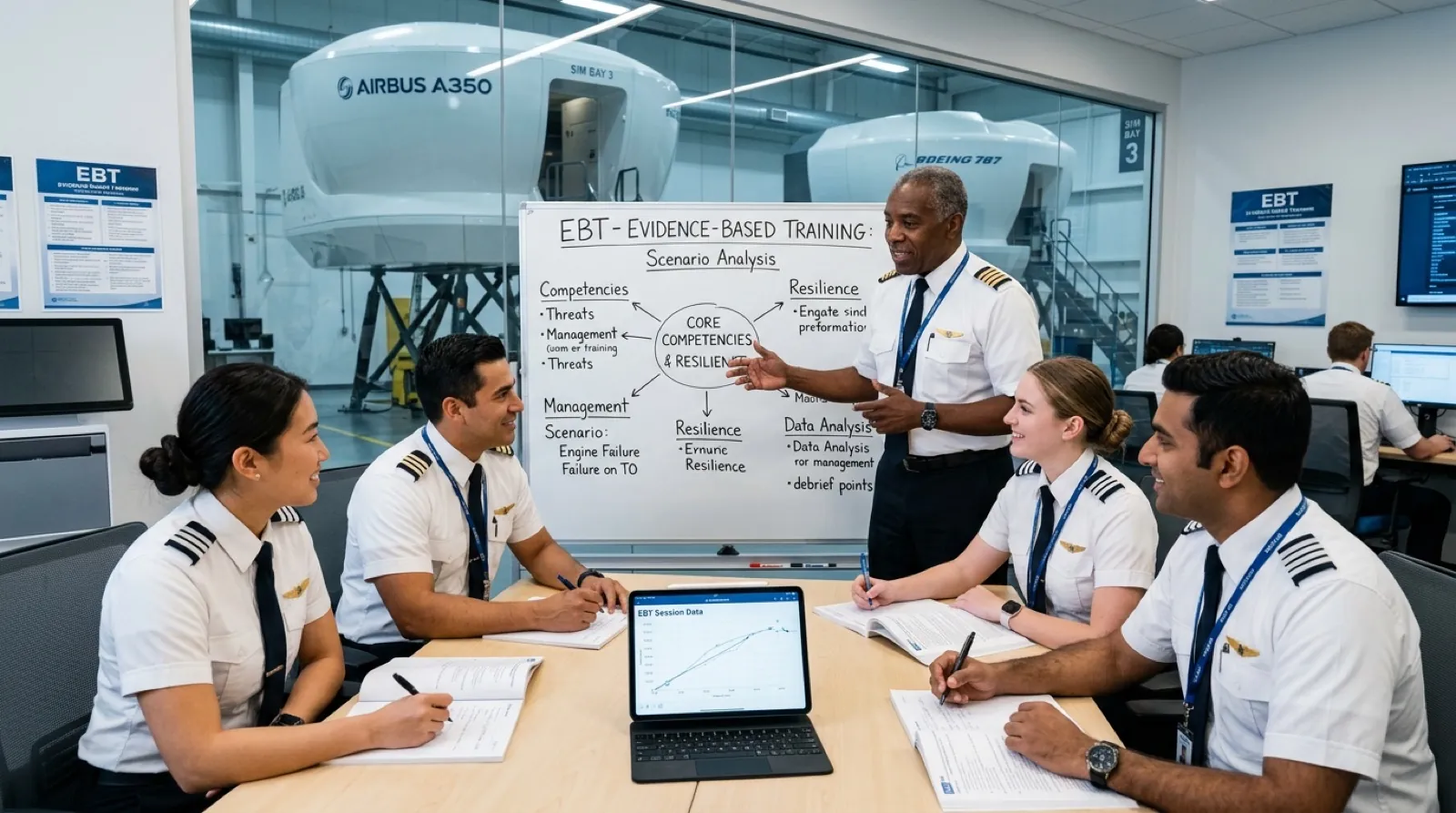
TMS for aircraft maintenance training organisations
Part-147 basic and type training, Part-66 licence pathways and Part-145 continuation training, assessed on observable competence and recorded from the classroom to the aircraft.
Choose another organisation typeEBT and CBTA for MTOs
The method and the tools for maintenance training
For maintenance, EBT and CBTA mean the method: competency-based assessment with recorded evidence. Evidence-Based Training under ORO.FC.231 remains a flight crew requirement.
EBT and CBTA for MTOs
Competency frameworks, assessment schemes and reports for Part-147 and Part-66 training, built on knowledge, skills and attitudes with observable behaviours.
- Part-147
- Part-66
- CBTA
Maintenance task tool
A library of maintenance tasks built around the aircraft maintenance manual, used to teach a task and then to assess it, with performance levels L1 to L4 and safety-critical flags.
- AMM tasks
- Teach
- Assess
Practical assessment
Task-level assessment at the aircraft, with the assessor, date and evidence attached, feeding examinations, certificates of recognition and remediation.
- Evidence
- Certificates
- Remediation
Training logbook
Basic modules, type training, exams and certificates written to the engineer’s logbook as they are completed. Trainees see their own record.
- Modules
- Type training
- Exams
Practical logbook
Practical experience recorded by task and ATA chapter from templates and training orders, monitored and passed through a quality gate.
- ATA chapters
- Templates
- Quality gate
EPL-ready
Ready to hold and verify the Electronic Personnel Licence (EPL) once your authority issues it. On the roadmap, following EASA NPA 2024-08.
- EPL
- Roadmap
Maintenance task tool
One task, taught and then assessed.
The same maintenance task is the teaching material in the classroom and the assessment at the aircraft. Instructors teach against it; assessors grade it against knowledge, skills and attitudes, and the result lands in the trainee’s record.
- Tasks built around the aircraft maintenance manual, grouped by ATA chapter
- Knowledge, skills and attitudes mapped to observable behaviours
- Performance levels L1 to L4, safety-critical flags and threat and error items
- Feeds assessment schemes, reports, questionnaires, examinations and certificates
Training logbook, practical logbook and EPL
Training and experience in one record.
Modules and type training on one side, practical experience by ATA chapter on the other. The engineer sees their own progress; the organisation sees who is trained for what before it grants an authorisation.
- Part-66 modules, type training, exams and certificates in the training logbook
- Practical logbook from templates and training orders, with a quality gate before sign-off
- Retention rules and legal holds for the MTO’s own records
- EPL-ready: the Electronic Personnel Licence can sit next to the record once authorities issue it (roadmap)
MTO management system
Clients, courses and trainees, run from one office.
Clients place training orders; orders become syllabi and sessions; sessions carry the roster and attendance. Tools, authorisations, the exposition and corrective actions sit in the same system as the training itself.
- Clients and training orders with outcome and headcount
- Syllabi and sessions with roster and attendance, per trainee
- Tools and equipment register with calibration dates, and personnel authorisations
- Approval and MTOE, documentation currency, quality findings and corrective actions
- Invoicing per client and per trainee on the TMS billing module when an ATO and an MTO run on one platform
TMS: questions buyers ask
Does it run an ATO like an airline?
Yes: scheduling, fleet, students, finances and compliance in one platform.
Is MPL included?
Yes: programme design, manuals and consulting, EASA Part-FCL Subpart K.
Connected to training AI?
Yes: data flows to AeroEBT and AeroBrain.
Can a flight school bill per trainee and per client?
Yes. Each client is an airline, a sponsor or an individual trainee. Self-funded students get their own packages, invoices and statement; sponsored cadets roll up to their airline’s contract and invoices.
Does the TMS manage simulators as well as aircraft?
Yes. FNPT I, FNPT II, FTD, FFS and BITD devices have their own register with qualification level and expiry, utilisation and technical log, and are booked in the same schedule as the aircraft.
Is EBT a requirement for maintenance training?
No. Evidence-Based Training under ORO.FC.231 is a flight crew requirement. For Part-147 and Part-66 training we apply the method: competency-based assessment with recorded evidence.
What is EPL?
The Electronic Personnel Licence: a licence issued electronically by the competent authority, proposed in EASA NPA 2024-08. The TMS is being prepared to hold and verify it once authorities issue it; it is on the roadmap, not live.
Streamline your training operations
Airline, flight school or maintenance training organisation: see the TMS run on your own courses, fleet and clients in a 30-minute walkthrough.
We respond within one business day.